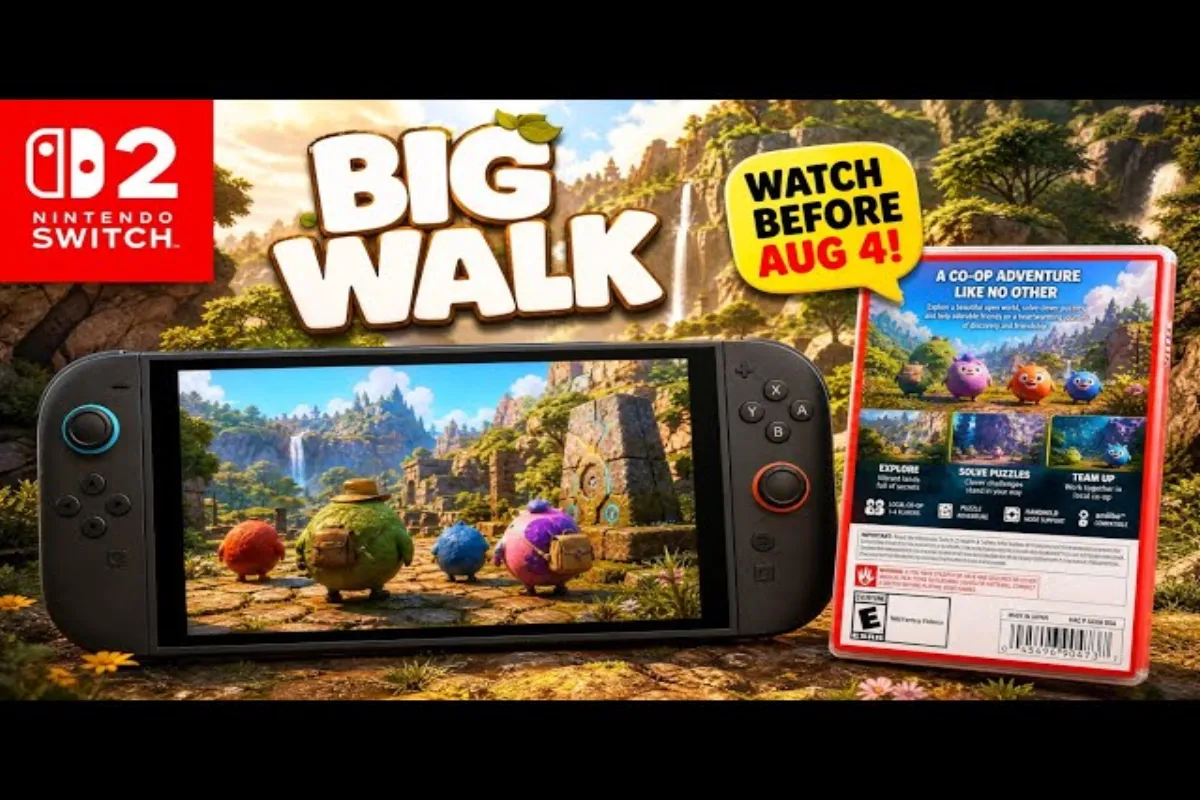
Big Walk cross platform play lets Windows, macOS, PlayStation 5, and Switch 2 players explore together through one shared session system. Get the full picture on supported platforms, why there's no matchmaking, and how Join Codes work.
Big Walk Cross Platform Play Overview
Big Walk crossplay is built into the game's session infrastructure from day one, meaning every copy of the title — regardless of storefront — joins the same backend matchmaking layer. According to the official Big Walk FAQ, the developer designed the session model around the assumption that friends will mix Windows desktops with living-room consoles on a regular basis, so they skipped the platform gate entirely.
The cross-platform layer is what makes the cooperative walking-simulator format actually function in practice. Without it, half of any friend group would be locked out of every session, and the shared-experience premise would collapse. Big Walk cross platform play is therefore not a bonus feature but the spine of the multiplayer design.
What Big Walk Crossplay Covers
The crossplay layer currently spans four platform families, and each one routes through the same Join Code handshake when initiating a session.
-
Windows (Steam and Epic storefronts)
-
macOS (Apple Silicon and Intel builds)
-
PlayStation 5 (PSN-linked accounts)
-
Nintendo Switch 2 (Nintendo Online-linked accounts)
One notable gap remains: Xbox Series X|S is not supported as of August 2026, and community reports suggest the studio has not committed to a release window for Microsoft's platform. Players hoping for Xbox inclusion have organized active feedback threads on the official Discord, but the developer has kept the door firmly closed for the time being.
Why No Matchmaking Exists
Big Walk's developer made an unusual choice when shipping the multiplayer layer: they removed traditional random matchmaking. According to community data compiled by GamesRadar's co-op coverage, the studio felt that dropping strangers into a procedurally walking sandbox without context hurt the slow-burn cooperative tone the game is built around. Instead, every session requires a deliberate invitation.
| Connection Method | Availability | Friend-Only? | Cross-Platform |
|---|---|---|---|
| Join Code | All platforms | Yes | Yes |
| Random Matchmaking | Not available | N/A | N/A |
| Native Friend List | PSN / Nintendo Online | Yes | Partial (console-only) |
| Steam / Epic Friends | PC only | Yes | No (PC-only) |
The implication is simple: if you want to play Big Walk with anyone, you need to coordinate a Join Code outside the game first — typically through Discord, iMessage, or your platform's native DM system. This is the single most important habit to develop if you're planning to play the game with a regular group.
How Big Walk Cross Platform Play Works Step by Step
Because Big Walk no matchmaking is the default, the Join Code system carries the entire weight of multiplayer. The flow is identical on every supported platform, which is what makes the cross-platform bridge invisible once you're inside a session. There is no extra launcher, no platform-specific menu, and no login shim — you just paste the code and join.
Generating a Join Code
Any player can host a session, and the host automatically receives a six-character alphanumeric Join Code that refreshes each time a new session begins. Codes expire when the host closes the session, which prevents stale invites from cluttering the queue and keeps the network footprint tidy. Codes are also case-insensitive, so players don't need to worry about typos when reading the code aloud over voice chat.
The host generates their code from the Pause Menu → Invite Friends → Create Join Code path. On PC the code appears alongside a copy-to-clipboard button; on consoles the code is displayed full-screen so you can read it aloud or screenshot it for later sharing. The whole process takes about ten seconds from the moment you open the menu.
Entering a Join Code
Joining a session is symmetric across platforms, which is the heart of Big Walk cross platform play:
-
Open the Pause Menu in the main hub area.
-
Select Join via Code.
-
Type the six-character code shared by your host.
-
Confirm — the game drops you directly into the host's active session.
If you want a deeper walkthrough of the invite and accept side of the flow, our how-to-join-friends guide covers the host's accept-requests queue and the in-game notification prompts that appear when a request is pending. The accept-requests queue is particularly useful when you're running a public-facing session and want to vet newcomers before letting them into your expedition.
Join Code Behavior Across Platforms
| Behavior | Windows | macOS | PS5 | Switch 2 |
|---|---|---|---|---|
| Code length | 6 chars | 6 chars | 6 chars | 6 chars |
| Case-sensitive | No | No | No | No |
| Refresh on new session | Yes | Yes | Yes | Yes |
| Visible to non-friends | Only if shared | Only if shared | Only if shared | Only if shared |
| Voice chat after join | Built-in | Built-in | Built-in | Built-in |
The cross-platform symmetry means the same code works regardless of which device generated it. A PS5 player can drop into a Windows-hosted session, and a Switch 2 user can join a macOS expedition without any platform-specific handshake. This consistency is what makes Big Walk crossplay feel less like a feature and more like the obvious default.
Supported Platforms and Compatibility Matrix
Big Walk crossplay is unusual because it spans desktop operating systems most multiplayer titles ignore. macOS support in particular is rare for this genre, and it was a stated priority for the developer from the reveal trailer onward. The platform roster also covers both major PC storefronts, which means players who picked up the title on Epic aren't walled off from their Steam-using friends.
PC System Layer
The Windows build runs on both Steam and Epic Games Store, with cross-launcher play enabled — meaning a Steam player can join an Epic player's session without owning the opposite launcher. The macOS build supports both Apple Silicon (M1 and newer) and Intel hardware through Rosetta, though native performance on Apple Silicon is noticeably smoother according to community testing. Players running Intel-based Macs have reported occasional frame drops during densely populated sessions, though the game remains playable.
Console Layer
PlayStation 5 and Nintendo Switch 2 both run the same game client with parity patches applied automatically. Cross-generation play with last-gen consoles is not supported, since the title was designed exclusively for current-generation hardware. The PS5 version takes advantage of the DualSense haptics for walking cadence, while the Switch 2 version leans on HD rumble and the larger screen real estate.
Compatibility Snapshot
| Platform | Status | Crossplay Partner | Native Friend List |
|---|---|---|---|
| Windows (Steam) | Live | All platforms | Steam Friends |
| Windows (Epic) | Live | All platforms | Epic Friends |
| macOS | Live | All platforms | Game Center |
| PlayStation 5 | Live | All platforms | PSN Friends |
| Nintendo Switch 2 | Live | All platforms | Nintendo Online Friends |
| Xbox Series X|S | Not supported | N/A |
If you're wondering whether the PC-to-console split has any hidden lag penalties, the short answer is no — sessions run on the same backend regardless of where the host sits, and input latency stays client-side. Players who care about minimizing input delay should still prefer wired controllers, but the network layer itself does not introduce platform-specific penalties.
Big Walk No Matchmaking Explained
The decision to ship Big Walk no matchmaking as a deliberate design choice is one of the most-discussed topics in the game's subreddit and Discord. Understanding the reasoning helps you adapt your play patterns accordingly, because the friends-only model changes how you recruit groups compared to traditional matchmaking-based co-op titles.
Friend-Based Connection Model
Every public-facing developer comment has emphasized that Big Walk is built around curated company, not random encounters. Players report that this changes the tone of every session: nobody is dropped into a stranger's expedition mid-walk, and every shared moment is between people who explicitly chose to be there. That small difference in session composition shapes the entire emotional texture of the game.
The model also prevents the worst side effect of random matchmaking in walking simulators — griefing. Without a public queue, there's no mechanism for an adversarial player to invade a casual group, which is why the studio treats the absence of matchmaking as a feature rather than a limitation. According to player feedback, this has kept the community tone unusually welcoming, especially for newcomers who might otherwise feel hesitant to join strangers.
Workarounds for Solo Players
Players who don't have a pre-made group aren't locked out, but they do need to do a small amount of legwork. The most common workarounds reported by the community include:
-
Discord LFG channels — the official Big Walk Discord and several community-run servers host Looking-For-Group threads where players post Join Codes and recruit for specific expeditions.
-
Reddit weekly threads — the Big Walk subreddit runs a weekly "Walk Together" megathread for finding new co-op partners and coordinating cross-timezone sessions.
-
Friend-of-friend expansion — once you finish a session, the host can issue a Join Code to new players even if they're not on any platform friend list, which makes the network effect compound over time.
Matchmaking vs. Friends-Only Design
| Feature | Random Matchmaking | Friends-Only (Join Code) |
|---|---|---|
| Session discovery | Public queue | Direct invite |
| Stranger interactions | Common | None by design |
| Griefing risk | Present | Negligible |
| Group size control | Variable | Set by host |
| Cross-platform reach | Server-dependent | Universal |
| Onboarding friction | Low | Moderate |
If you want the technical details of how the Join Code is generated and rotated, our Join Code deep dive walks through the session-handshake logic in more detail. The rotation logic is what prevents old codes from being reused by malicious actors, and it is the single most important security layer in the crossplay stack.
Troubleshooting Big Walk Crossplay Connection Issues
Most Big Walk cross platform play problems trace back to one of three root causes: a mistyped Join Code, a host who hasn't fully loaded their session, or a network configuration blocking the session handshake. Walking through each scenario systematically solves the vast majority of reported issues, so it's worth running through this checklist before opening a support ticket.
Common Connection Errors
Players have surfaced several recurring error states. None of them are permanent, and each has a community-confirmed workaround that takes only a few seconds to apply.
-
"Code Not Found" — usually a typo or a stale code from a previous session. Ask the host to regenerate and double-check each character before submitting.
-
"Session Full" — the host has hit the player cap. Wait for a slot to free up or join another session.
-
"Version Mismatch" — one player hasn't applied the latest patch. Verify versions match through the main menu's version stamp before retrying.
-
"Network Timeout" — typical of restrictive NAT types or aggressive firewall rules. See the network tips below for the standard port-forwarding fix.
Network Stability Tips
| Issue | Likely Cause | Suggested Fix |
|---|---|---|
| Frequent timeouts | Strict NAT | Forward UDP ports 27015-27030 |
| Code accepted but session won't load | Host still loading | Wait 30 seconds and retry |
| Disconnects mid-session | Unstable connection | Switch from Wi-Fi to ethernet if possible |
| Crossplay only works one direction | Outdated client | Force-update through platform launcher |
| Voice chat cuts out randomly | Bandwidth contention | Close streaming apps on the host's network |
The crossplay layer is generally resilient, but the most common offender is the Version Mismatch error after a patch day. Both players must be on the same client version before a Join Code will resolve cleanly, and the patch download can take several minutes on Switch 2 depending on your storage speed. For broader session tracking and what each menu screen reveals about your active connection, our session details breakdown maps the in-game indicators to specific connection states.
Players also report that Big Walk crossplay works most reliably on a wired connection for the host, even when the joining players are on Wi-Fi. The host's uplink is the bottleneck in most setups, so a stable host connection solves the majority of disconnects that look like cross-platform issues but are actually local-network problems.
Frequently Asked Questions
Q: Can I play Big Walk solo without other players?
While Big Walk is designed as a cooperative experience, you can explore the world solo. However, certain puzzles and areas require at least two players to complete, so solo walkers will find some content gated behind multiplayer requirements in the current version of the game.
Does Big Walk cross platform play include voice chat?
Yes, in-session voice chat is built into every supported platform. Cross-platform voice routing is handled by the same backend that manages the Join Code handshake, so PC, Mac, PS5, and Switch 2 players can all talk freely inside the same session without third-party apps.
Can I play Big Walk crossplay with random strangers?
No. The developer removed random matchmaking by design, so every cross-platform session requires a Join Code from the host. Community workarounds like Discord LFG channels let you meet new players, but the actual connection still flows through a direct invite.
Is Big Walk no matchmaking a permanent design choice?
As of August 2026 the studio has not signaled any plans to add random matchmaking. The developer has framed the friends-only model as a core part of the cooperative tone, so most players expect this stance to remain stable through the game's first year.
Will Xbox Series X|S get Big Walk crossplay support?
There has been no official confirmation for Xbox support. The current crossplay roster covers Windows, macOS, PlayStation 5, and Nintendo Switch 2 only. Community requests are active on the official Discord, but the studio has not committed to a release window.