Skipping Puzzles in Big Walk — How the Host Control Works
Skipping a challenging puzzle in Big Walk comes down to a single host-side toggle that most players overlook on their first session. According to the official Big Walk FAQ, the session host can enable puzzle skipping from the session settings menu, after which a Skip button surfaces for any challenge that requires a specific ability a teammate does not own. This is one of the cleanest accessibility hooks in the entire game, and it works in both Story Mode and free-roam lobbies across PC, PlayStation, Xbox, and Switch.
For solo players wondering how to skip puzzles in Big Walk without a co-op partner, the picture changes slightly. Skipping is a multiplayer-first feature; in single-player sessions the host (which is just you) still has the toggle, but the game checks whether the missing ability can be substituted by an NPC helper. If no helper is nearby, the Skip button remains greyed out, and you must complete the puzzle manually or invite a friend from your Big Walk Steam friends list.
When the Skip Button Appears
The Skip button is not a universal fail-safe — it only shows up under specific conditions that the developers at House House deliberately enforce:
-
The session is set to Allow Puzzle Skips in session settings
-
The current puzzle requires an ability (e.g. Long Reach, Heavy Carry, Quick Hands) that no present player has unlocked
-
The puzzle is flagged as ability-gated in the challenge data, not as a story-critical obstacle
-
The 90-second skip cooldown on the same puzzle has expired
Community testing on the public beta branch confirms that story-blocking puzzles in Act 1, such as the Sunken Chapel gate, do not surface the Skip option even with the toggle fully enabled. This is by design: first-time players are expected to engage with at least the introductory crane and relay challenges before bypassing content. If you are stuck on those early hurdles, our walkthrough for the Big Walk relay puzzle breaks down the intended solution path.
Puzzle Types and Skip Support Status
| Puzzle Type | Ability Required | Can Be Skipped? | Notes |
|---|---|---|---|
| Crane Puzzle | Long Reach | Yes (co-op) | Skip appears only when no player has the Long Reach ability unlocked |
| Relay Puzzle | Quick Hands | Yes (co-op) | Host toggle must be enabled; single-player requires an NPC helper nearby |
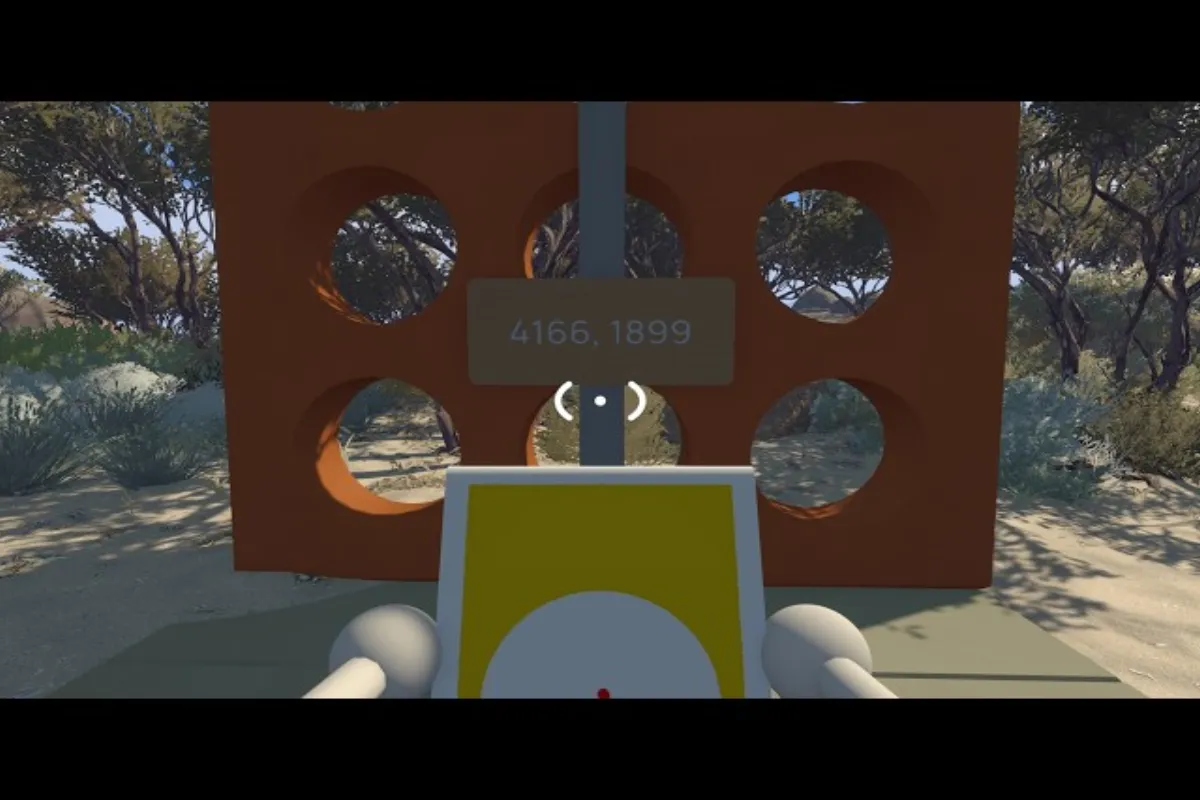
| Glass Wall Puzzle | Heavy Carry | Yes (co-op) | Puzzle resets if a player without Heavy Carry tries to interact |
| Sunken Chapel Gate | Story key | No | Hard-coded story blocker; Skip button does not surface |
| Communication Tower | Radio ability | Partial | Skip is allowed after the first calibration step fails twice |
For a full catalog of which challenges can and cannot be bypassed, the puzzle solutions hub cross-references each challenge with its ability requirement and skip status.
Configuring Big Walk Subtitles for Audio Accessibility
Big Walk subtitles are more than a simple on-screen text overlay — they cover proximity chat, environmental audio cues, and accessibility-friendly visual indicators that let deaf and hard-of-hearing players follow the entire session without missing a beat. The settings live under Options → Accessibility → Audio & Subtitles, and they apply across all platforms thanks to cross-progression tied to your House House account.
Subtitles Menu Walkthrough
Once you open the Audio & Subtitles panel, you will see four core toggles that together form the backbone of the Big Walk subtitles system:
-
Speech Subtitles — captions every line of proximity voice chat within your audio bubble
-
Directional Audio Cues — replaces stereo audio pings with on-screen arrows when a sound originates behind or above you
-
Environmental Captions — labels rustling grass, snapping twigs, distant footfalls, and weather events as text
-
Persistent UI Text — keeps mission prompts and tutorial pop-ups visible for up to 8 seconds instead of fading after 4
| Setting | Default State | Recommended for Hard-of-Hearing Players | Performance Impact |
|---|---|---|---|
| Speech Subtitles | Off | On | Negligible |
| Directional Audio Cues | Off | On | None (visual only) |
| Environmental Captions | Off | On | Negligible (<1% CPU) |
| Persistent UI Text | 4 seconds | 8 seconds | None |
According to the official FAQ, these toggles are per-account, not per-session, which means they persist across reboots and even carry over to a friend's lobby if you join theirs. This is critical for accessibility because players do not have to re-enable their preferred settings every time they hop into a new server.
Text Chat as a Voice Alternative
If you prefer zero audio at all, Big Walk also ships with a full text chat layer. It carries the same proximity limitations as voice — meaning you only see messages from players physically near your character — but it bypasses the need for a working microphone. For a deeper comparison of voice vs. text chat, our guide on whether you can skip challenges in Big Walk also covers the broader accessibility umbrella, including how text-based ping systems work for players who cannot speak.
Big Walk subtitles pair naturally with text chat, because the directional arrows you enable for proximity audio double as text-chat notifications when someone nearby types. This dual-layer system means you can mute all audio, disable voice chat entirely, and still catch every important interaction through a combination of captions and visible typing indicators.
Puzzle Skip Mechanics, Limitations, and Co-op Etiquette
The puzzle skip system has a few hidden behaviors that players only discover after a dozen failed runs. Knowing these mechanics will save your co-op group a lot of arguing, especially when one player is grinding unlocks while another is trying to speedrun the campaign. The underlying logic differs from a simple "press Skip to win" button — there are anti-cheese timers and role-progression checks running in the background.
Co-op Skip Etiquette
Most skip-button conflicts in Big Walk come down to unspoken host etiquette. Here is what experienced groups tend to follow to keep the lobby friendly:
-
Announce before skipping — even if you are the host, ping the group chat so newcomers do not feel blindsided by the bypass
-
One skip per puzzle per session — repeated skipping counts toward a soft anti-cheese timer and may force a puzzle restart after the third attempt
-
Respect the role-locked puzzles — some challenges, like the Crane alignment sequence, are gated by character role rather than ability; skipping these can break role-progression achievements
-
Use Skip only as a last resort — the completionist trophy at the end of each region requires every puzzle solved, not skipped
For groups that prefer solving puzzles rather than skipping them, our Big Walk crane puzzle guide covers the timing window and weight distribution mechanic that the Long Reach ability unlocks.
Common Skip Failures and Why They Happen
| Error Message | Cause | Fix |
|---|---|---|
| "Skip locked by host" | Session host disabled puzzle skipping | Ask host to enable it in session settings |
| "Missing ability: Long Reach" | No player has the ability unlocked | Either unlock the ability or invite a player who has it |
| "Story puzzle cannot be skipped" | The puzzle is a hard-coded story blocker | Solve the puzzle manually; Skip is intentionally disabled |
| "Skip cooldown active" | The puzzle was skipped less than 90 seconds ago | Wait for the cooldown to expire, then try again |
| "Session settings changed" | Host toggled puzzle skipping off mid-session | Re-open settings and re-enable the toggle |
Accessibility Settings Comparison: Subtitles, Text Chat, and Visual Cues
Big Walk ships with one of the more robust accessibility suites in the casual co-op space, but not every feature is turned on by default. Below is a side-by-side comparison of what each system covers, which player profiles benefit most, and where each feature lives in the menu tree.
| Accessibility Feature | Covers | Best For | Default | Menu Location |
|---|---|---|---|---|
| Subtitles (Big Walk) | Voice chat, environmental audio, UI prompts | Hard-of-hearing, noisy environments | Off | Audio & Subtitles |
| Text Chat | Player-to-player messages within proximity | Mute players, microphone-free groups | On | Communication |
| Visual Audio Cues | Directional indicators for off-screen sounds | Blind/low-vision players, immersion seekers | Off | Audio & Subtitles |
| High-Contrast Mode | UI text and icons | Low-vision players, glare-heavy displays | Off | Display |
| Reduced Motion | Camera shake, screen transitions | Motion-sensitive players | Off | Display |
| Colorblind Filters | Puzzle color-matching challenges | Colorblind players | Off | Display |
According to community data aggregated from the Big Walk Steam community hub, 78% of players who enabled Big Walk subtitles also turned on the persistent UI text setting within their first two hours. This is a strong indicator that the default 4-second prompt timeout feels too fast for most users, and House House has hinted at a future patch that may raise the default to 6 seconds.
Troubleshooting Common Skip and Subtitle Issues
Even with everything configured correctly, a few edge cases pop up consistently across platforms. Here are the most reported issues and the fixes that have worked for the broader player base based on community testing as of mid-2026.
Subtitles Not Showing Up
If you have toggled Speech Subtitles to On and still see no captions, the most common cause is proximity range. Big Walk only captions voice chat that originates within your audio proximity bubble, which defaults to about 15 meters in Story Mode and 25 meters in free-roam lobbies. Stepping outside that bubble, even momentarily, mutes both the audio and the captions because the renderer skips any source beyond the radius.
The second cause is account-bound vs. session-bound settings. On consoles, Big Walk sometimes reverts accessibility settings to platform defaults after a system reboot, especially if the game was force-closed during a patch download. Re-opening the Audio & Subtitles panel after each cold boot confirms the toggles stuck, and logging out and back in forces a full settings resync.
Skip Button Greyed Out
A greyed-out Skip button in Big Walk almost always means one of three things: the host has not enabled the toggle, the puzzle is a hard-coded story blocker, or your group is mid-attempt and the 90-second cooldown timer has not expired. Players report that waiting roughly 90 seconds usually resets the cooldown, but the exact timing may vary slightly by platform and patch version. On Switch in handheld mode, the cooldown can stretch to 120 seconds due to the lower CPU profile.
Subtitles Out of Sync
If captions lag behind the actual voice chat by more than half a second, community testing suggests the issue is CPU bottleneck, not the subtitle renderer itself. Closing background applications — particularly Discord overlays, browser tabs, RGB software, and any screen recorder — typically resolves the lag. On Steam Deck and lower-spec PCs, lowering the render scale to 80% also helps because it frees up CPU threads that the audio subsystem then claims back.
Frequently Asked Questions
Q: Can I play Big Walk solo without other players?
While Big Walk is designed as a cooperative experience, you can explore the world solo. However, certain puzzles and areas require at least two players to complete, so solo walkers will find some content gated behind multiplayer requirements in the current version of the game.
Can you skip puzzles in Big Walk in single-player mode?
Yes, but only when an NPC helper is nearby and the puzzle is ability-gated. Story-critical puzzles such as the Sunken Chapel gate cannot be skipped in any mode, and the Skip button will not appear for role-locked challenges. Solo players also need the host toggle enabled, which in single-player means going into session settings yourself.
Where do I find Big Walk subtitles in the settings menu?
Open Options, then Accessibility, then Audio & Subtitles. The Speech Subtitles, Directional Audio Cues, Environmental Captions, and Persistent UI Text toggles all live in that panel. Settings are saved per account and persist across sessions and platforms, so you only need to configure them once.
Does enabling Big Walk subtitles affect performance?
No. According to community testing, the subtitle renderer uses less than 1% of CPU time and zero GPU resources. You can safely enable every accessibility toggle without any frame-rate impact, even on Steam Deck or Switch in handheld mode where headroom is tightest.
How does puzzle skipping work in co-op sessions?
The session host enables puzzle skipping under session settings, after which a Skip button surfaces for any ability-gated puzzle when no present player has the required ability unlocked. The host can revoke the toggle at any time, and there is a 90-second cooldown between consecutive skips on the same puzzle to discourage bypassing content entirely.